ChatGPT Workflow for Daily Planning: A 25-Minute Loop
Last updated: April 29, 2026
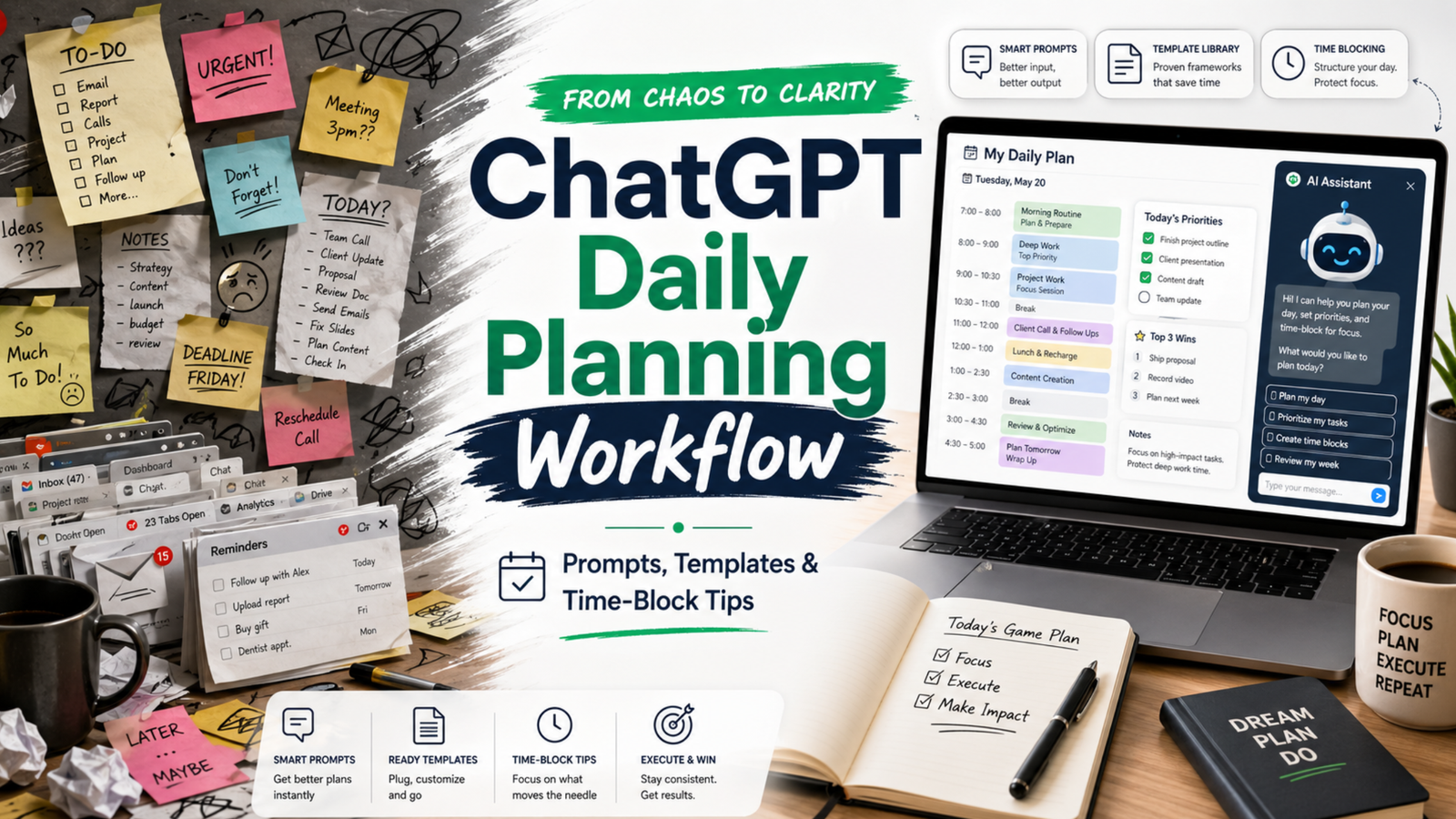
If your day feels like a ping-pong match of pings, meetings, and shifting plans, this practical ChatGPT workflow for daily planning will help you turn noise into clear next steps. You will map what matters, time-block it, and review without spending all morning on the plan.
Read the full guide: ChatGPT Workflow for Daily Planning: A 25-Minute Loop on Mind Clarity Hub.
Key takeaways- Plan in a short loop: capture, prioritize, estimate, block, and review.
- Keep roles clear: you choose goals; ChatGPT drafts and checks; your calendar commits.
- Use tight prompts, constraints, and tokens. Then edit for reality and energy.
- Close the loop daily. Learn from slippage and adjust tomorrow’s plan.
What is a ChatGPT workflow for daily planning?
A ChatGPT workflow for daily planning is a repeatable, 15–25 minute loop that turns goals, tasks, and constraints into a time-blocked daily plan. You capture inputs, prioritize work, estimate effort, and draft a schedule. Then you sense-check the plan, commit the blocks to your calendar, and review at day’s end to improve tomorrow.
Because it is a workflow, not a one-off prompt, it reduces friction and decision fatigue. Also, it frees your attention for deep work while still reacting to change.
How does this fit with time blocking and GTD?
Time blocking protects focus by giving each block a job. The approach matches the classic idea of planning your day before executing it, a practice advocated by productivity researchers and writers. For deeper context on the value of time blocking for focused work, see Cal Newport’s overview of the method and why it helps reduce context switching (Cal Newport).
GTD (Getting Things Done) gives you trusted capture and clarity of next actions. You can use your GTD lists as the raw input for the plan (GTD basics). Meanwhile, prompt engineering guidance from vendors can improve the quality of your ChatGPT drafts (Microsoft Learn; OpenAI Custom Instructions).
What do you need before you start?
- A quick list of today’s candidates: meetings, deadlines, open loops, and 2–3 outcomes that matter.
- Your calendar open, with room to block. If it is jammed, expect tradeoffs.
- Access to ChatGPT (or any capable LLM) and your preferred note space.
- Constraints ready: energy windows, hard stops, context limits, and must-do admin.
A light, clear layout makes your plan easier to trust. Photo: Jakub Zerdzicki via Pexels. Source: Pexels page.
How to use this advice (and what to avoid)
- Start small. Plan one key outcome plus 2–3 supporting blocks, not a perfect day.
- Keep prompts short and specific. Limit scope and ask for estimates with a buffer.
- Edit the draft. You own the plan; ChatGPT only offers a first pass.
- Avoid dumping sensitive data. Use redacted text or summaries. Review your tool’s privacy policy first (OpenAI Privacy).
- Close the loop. Do an honest review each evening in 5 minutes.
Step-by-step daily loop
Use this ChatGPT workflow for daily planning in five compact phases. The whole loop takes 15–25 minutes once you practice it.
Phase 1 — Capture and clarify
- List hard commitments: meetings, deadlines, immovable errands.
- Write 1–3 outcomes that define a “good day.” Keep them specific and measurable.
- List possible tasks that support those outcomes. Note time guesses if you have them.
Prompt template:
Context: I have a standard 8-hour workday with two meetings (10:00–10:30, 14:00–15:00), and a hard stop at 17:30.
Outcomes (ranked):
1) Ship the draft of the product update email
2) Make progress on Q2 roadmap (finish 2 tickets)
3) Clear finance admin backlog (30 minutes)
Tasks on deck (rough guess):
- Draft email (60m), edit (30m)
- Two roadmap tickets (60m each)
- Finance admin (30m)
- Inbox sweep (15m)
- Lunch (30m)
- Walk break (15m)
Ask: Turn this into a prioritized plan with time estimates and 20% buffer. Ask me clarifying questions if needed.
Phase 2 — Prioritize and right-size
ChatGPT will return a first pass. Now guide it to sharpen the focus. Ask for tradeoffs and cuts. For example:
Revise the plan so the top outcome is guaranteed. If needed, cut or shrink lower-value items.
Constraints: protect one 90-minute deep work block before noon; add 20% buffer across the day.
Reference note: Prompts that include role, task, constraints, and output format tend to perform better than vague asks. See vendor guidance for practical patterns (Microsoft Learn).
Phase 3 — Estimate and buffer
Ask ChatGPT for estimates only if the work is well-scoped. Otherwise, give your own base estimates and ask for a buffer suggestion. A rule of thumb is a 15–30% buffer for creative or cross-team work. Keep it simple.
Given these tasks and my past velocity, propose conservative time estimates and a single 30-minute “overflow” block at 16:30.
Phase 4 — Time-block the calendar
Now move from plan to calendar. Use blocks that match the energy of the task. Put hard things earlier. Group similar work. Keep 5–10 minutes between blocks to reset. For a clear overview of time blocking’s benefits for deep work and reduced context switching, review Cal Newport’s write-up (Time blocking explained).
Prompt template to draft blocks you will then paste into your calendar:
Turn this prioritized plan into time blocks for 09:00–17:30 in 24-hour time.
Rules:
- 90m deep work on the top outcome before lunch
- 10m buffers between blocks
- 30m lunch at 12:30
- 15m walk at 15:30
Output as a table with start, end, block name, and goal.
Core roles in a ChatGPT workflow for daily planning
Who
Owns
Examples
You
Goals, priorities, commitments
Pick top outcomes. Approve tradeoffs. Move blocks on the calendar.
ChatGPT
Drafts, estimates, structure
Suggests order. Proposes buffers. Flags overload or conflicts.
Calendar
Execution contract
Holds the blocks you commit to. Signals when to switch.
Phase 5 — Review and learn
Close the loop near day’s end. Compare the plan with what actually happened. Note where you under- or over-estimated. Then feed those notes into tomorrow’s planning prompt. This short review sharpens your future plans.
Review prompt for 17:15:
Compare the planned blocks with what I did (below). List 3 lessons about estimates or sequencing. Suggest one change for tomorrow’s plan.
Data:
- Planned vs. actual for each block
- Interruptions and how long they took
- Biggest win and biggest miss
Daily planning loop (text-light visual)
- Capture: list meetings, outcomes, tasks
- Prioritize: protect the top 1–3 outcomes
- Estimate: add 15–30% buffer + one overflow block
- Time-block: draft, then commit to the calendar
- Review: compare plan vs. actual; learn and adjust
Tip: Keep the loop under 25 minutes. If it grows, you are planning at the wrong level.
Prompts that work in the real world
Use these short, constraint-first patterns. Edit names and times to fit your day.
Prompt library for common planning moments
Situation
Prompt
Output format
Morning plan in 10 minutes
Given these outcomes and meetings, propose a 09:00–17:30 plan with one 90m deep work block. Add 20% buffer and a 15m overflow at 16:30.
Bullet plan + time table
Midday course-correct
It is 13:00. Rebuild the plan around these facts (below). Keep only what drives the top outcome. Put admin at the end or cut it.
Revised table + cuts list
Estimate reality check
Here are my estimates. Apply a confidence score to each (high/med/low). Suggest one split or merge to improve flow.
Table with confidence + notes
Context protection
Group tasks by context (design, writing, review). Order for minimal switching. Keep only 2 context types before lunch.
Ordered groups + rationale
End-of-day review
Compare plan vs actual. Give 3 insights and one new rule for tomorrow (e.g., longer buffers, earlier deep work).
Bullets + tomorrow rule
What makes the plan realistic?
- Protect one deep block early. Your energy is higher and interruptions are fewer.
- Add a daily overflow block. Use it for spillover; if empty, pull a quick win.
- Plan admin late. Keep your morning clean for work that moves the needle.
- Use the Eisenhower lens. Ask: urgent or important? Cut what is neither (Matrix overview).
- Match blocks to energy. Put creative or analytical work in your best hours.
Reality checks that keep you honest
- Compare plan vs. actual weekly. Look for recurring 30–60 minute slips.
- Cut one thing daily. Replace it with margin, not another task.
- Use a simple rule: no more than 4 major blocks on a normal day.
Review builds judgment. Compare plan vs. actual while it is fresh. Photo: RDNE Stock project via Pexels. Source: Pexels page.
Common mistakes and how to fix them
- Over-planning: You draft 20 steps. Fix: plan at the outcome level, not micro-tasks.
- No buffers: Your plan breaks on first contact. Fix: add 15–30% and one overflow block.
- Vague prompts: ChatGPT guesses. Fix: state constraints, hour ranges, and a result format.
- Too many contexts: You switch every 15 minutes. Fix: group by context and cap before lunch.
- Calendar not updated: The plan lives in notes. Fix: commit blocks to your actual calendar.
What about privacy and sensitive work?
Do not paste confidential details. Summarize or mask names and numbers. Review your tool’s data use policy and team settings, especially if you work in a regulated role (OpenAI Privacy). If in doubt, keep sensitive planning in-house while still using the structure of this loop.
How do I review a ChatGPT workflow for daily planning at day’s end?
Keep it to five minutes:
- Mark blocks you finished, moved, or dropped. Note why.
- Log total time on the top outcome. Aim to protect it better tomorrow.
- Write one rule for tomorrow. For example, “longer buffer before 14:00 meeting.”
Then feed those notes into your next morning prompt so your ChatGPT workflow for daily planning improves with each pass.
Example day: turning inputs into a clear plan
Inputs: two meetings, one key email to ship, two roadmap tickets, and finance admin. Constraints: early deep work, 20% buffer, 17:30 stop. A solid plan might look like this:
Sample time-blocked day
Start
End
Block
Goal
09:00
10:30
Deep work — draft product email
Ship v1 draft
10:30
10:40
Buffer
Reset
10:40
11:10
Meeting
Team sync
11:10
11:20
Buffer
Notes
11:20
12:30
Ticket 1
Finish scope
12:30
13:00
Lunch
Rest
13:00
13:30
Edit email
Polish and schedule
13:30
14:00
Inbox sweep
Unblock others
14:00
15:00
Meeting
Stakeholder review
15:00
15:30
Ticket 2
Push to PR
15:30
15:45
Walk
Reset brain
15:45
16:15
Finance admin
Reconcile
16:15
16:30
Buffer
Prep overflow
16:30
17:00
Overflow
Catch spillover
17:00
17:15
Review
Plan tomorrow
Will this still work when the day explodes?
Yes, if you replan fast. Use a 5-minute midday course-correct. Keep the top outcome alive and protect one block to move it forward. Push admin late. If needed, cut it.
Can I automate parts of the loop?
You can centralize inputs and reduce copy-paste:
- Keep a pinned morning prompt in your notes app. Paste today’s inputs under it.
- Save your ChatGPT workflow for daily planning as text snippets so you can load it fast.
- Export meeting times from your calendar to paste as the day’s constraints.
Automation helps, but do not automate judgment. You still pick the top outcomes and tradeoffs.
Accessibility: make your plan easy to scan
- Use short block names. Lead with the verb and the object: “Draft email v1.”
- Keep a single cue per block. Do not cram three goals into one hour.
- Color-code deep work, meetings, and admin.
Daily planning checklist
- List hard commitments and 1–3 outcomes that define success.
- Draft a first pass with constraints and buffers.
- Time-block the calendar and commit.
- Do the work. Protect the top outcome.
- Review in 5 minutes. Log one rule for tomorrow.
Detailed examples for different days
Not all days look the same. Therefore, build a plan that fits the shape of your hours. Here are two clear examples you can copy and adapt.
Manager day with many meetings
Goal: move one strategic item while keeping the team unblocked. Constraint: meetings at 09:30–10:00, 11:30–12:00, 14:00–15:30, and 16:30–17:00. Hard stop at 17:30.
Manager prompt:
Given these four meetings and a hard stop at 17:30, protect one 60–75m deep block before lunch to draft the QBR outline. Add 10m buffers around meetings. Push admin late. Output a table in 24-hour time.
Manager-style sample plan
Start
End
Block
Goal
08:45
09:15
Inbox triage (strict)
Unblock team
09:15
09:25
Buffer
Prep meeting
09:30
10:00
1:1
Coaching
10:00
10:10
Buffer
Notes
10:10
11:25
Deep work — QBR outline
Draft v1
11:25
11:30
Buffer
Prep
11:30
12:00
Status meeting
Decide blockers
12:00
12:30
Lunch
Rest
12:30
13:00
QBR edit
Polish v1
13:00
13:20
Slack sweep
Respond
13:20
13:30
Buffer
Prep
14:00
15:30
Stakeholder review
Align
15:30
15:45
Walk
Reset
15:45
16:15
Admin & approvals
Close loops
16:15
16:25
Buffer
Prep
16:30
17:00
Team standup
Priorities
17:00
17:20
Overflow
Catch spillover
17:20
17:30
Review
Lessons
Notice the early deep block and frequent buffers. As a result, the plan stays stable even with many handoffs.
Maker day with deep focus
Goal: ship a feature draft. Constraint: long focus windows, one demo at 15:00–15:30. Hard stop at 18:00.
Maker prompt:
Plan two long focus blocks for feature work (90–120m each) with a short break between them. Keep meetings wrapped in buffers. Put quick admin after the demo. Output a table in 24-hour time.
Maker-style sample plan
Start
End
Block
Goal
09:00
11:00
Deep work — implement module A
Working code
11:00
11:15
Buffer
Stretch
11:15
12:30
Deep work — tests & refactor
Green tests
12:30
13:00
Lunch
Rest
13:00
13:20
Inbox sweep (strict)
Unblock
13:20
14:40
Write docs
Draft page
14:40
14:55
Buffer
Prep demo
15:00
15:30
Demo
Feedback
15:30
15:45
Walk
Reset
15:45
16:15
Admin & PRs
Reviews
16:15
17:15
Deep work — module B
Finish core
17:15
17:45
Overflow
Catch slips
17:45
18:00
Review
Plan tomorrow
Here the plan clusters similar work and protects long spans. Consequently, context switches drop and throughput rises.
Troubleshooting playbook
When the plan drifts, fix the root cause fast. Use these quick moves and prompts.
- Estimates were off: Split the task and re-slot the next chunk. Prompt: Split “Draft whitepaper” into 2 smaller blocks with clear ends. Keep the first today, move the second to tomorrow morning.
- Urgent interrupt: Insert a short triage block, then rebuild the next two hours. Prompt: I have a P1 issue (30–45m). Rebuild 13:00–15:00 with buffers and keep one deep block alive.
- Low energy window: Swap in shallow work. Prompt: Replace the next 45 minutes of deep work with 2 admin tasks that still support the top outcome.
- Meeting ran long: Cut nice-to-haves and keep the top outcome. Prompt: We lost 25 minutes. Remove the lowest-value item and add a 15m overflow at 16:45.
- Task unclear: Add a 15-minute clarify block before you start. Prompt: Write a 5-bullet mini-brief for “Draft outreach email” so I can start fast.
Metrics that make the habit stick
Track a few simple numbers. Then adjust based on facts, not feelings.
Simple weekly metrics
Metric
How to measure
Target
Protected deep work
Total minutes spent in planned deep blocks
180–300 min/day
Plan vs actual delta
Total minutes off plan (over/under)
< 60 min/day
Overflow use
Times overflow saved a slip
3–5/week
Context switches
Distinct contexts before lunch
≤ 2
Review these on Friday. Therefore, next week’s plan will start stronger.
Team workflow and handoffs
This loop also helps teams. Share a short daily plan so others can align. Also, use the same review questions in standup.
Standup share template:
Top outcome today: ____
Deep block protected: ____ (start–end)
Risks: ____
Asks: ____
Overflow plan: ____
When plans change, post a one-line update. For example: “Deep block moved to 11:00–12:15 due to incident; overflow extended.” Sharing your ChatGPT workflow for daily planning summary keeps the whole group in sync without long threads.
Advanced tips: encode constraints for cleaner prompts
It is easier to plan when inputs are tidy. So, hand ChatGPT a small, structured block of data. Then ask for a schedule from it.
{
"day": "Tue",
"work_hours": ,
"meetings": ,
"outcomes_ranked": ,
"rules": {
"deep_block_before_lunch": 90,
"buffers_minutes": 10,
"overflow_at": "16:30",
"lunch_at": "12:30"
}
}
Follow-up prompt:
Using this JSON, propose a time-block plan in 24-hour time. Include start, end, block name, and goal. Respect the rules and add a 20% buffer overall.
Edge cases and how to adapt
- Travel days: Treat transit as a long block. Then schedule low-cog tasks (inbox, notes, reading). Keep one small outcome to protect momentum.
- Meeting-only days: Add 5–10 minute buffers after each call. Use a single 30-minute slot for one tangible outcome (even a draft).
- Half day: Cut scope in half. However, still protect one deep block, even if it is just 45 minutes.
- On-call or support: Plan in 60–90 minute horizons. Rebuild often. Keep a rolling overflow block for spikes.
These tweaks keep the loop alive even when conditions are rough. In short, the habit is the power, not a perfect day.
Source notes and further reading
- Time blocking and deep work (Cal Newport)
- GTD overview (David Allen Co.)
- Prompt engineering guidance (Microsoft Learn)
- Custom Instructions in ChatGPT (OpenAI Help)
- OpenAI privacy policy
FAQs
What is the best ChatGPT workflow for daily planning?
The best one is the one you can run in under 25 minutes. Use five phases: capture, prioritize, estimate, time-block, and review. Protect one early deep block. Add a daily overflow block. Keep admin late.
How many blocks should I plan in a normal day?
Plan 3–4 major blocks and a few short ones. If you need more, your blocks are too small or your scope is too wide.
How do I handle meetings that split my day?
Wrap meetings with buffers and use the largest open span for deep work. If the day is chopped up, focus on smaller, high-value chunks and leave big creative work for a better window.
Can I use this with a team?
Yes. Share the plan summary in morning standup. Align on the top outcome. Ask teammates to flag blockers and timing risks first thing.
Should I write prompts the night before or in the morning?
Do a light setup the evening before, but draft the final plan in the morning when energy and context are fresh.
Next steps
If you want a deeper, book-length walkthrough with templates and examples, explore our AI productivity books. Start with the hub to see the full range, or jump straight to our focused guide on daily planning:
- Explore the Mind Clarity Hub Books — find the best fit for your workflow.
- Read the AI Daily Planning Playbook — get a full system for planning, time-blocking, and daily review with ChatGPT.
Finally, write your rules while the day is fresh. This ChatGPT workflow for daily planning is simple, flexible, and fast—so you can plan with clarity and finish with focus. https://mindclarityhub.com/chatgpt-workflow-for-daily-planning/


Comments
Post a Comment